How it works

From the first car to the last handoff

A reader at the entrance, tablets at each station, and one record that every station shares.

Dismissal

How pickup works

Car line

  1. A car pulls in

    The reader picks up the windshield tag as the car enters. The driver does not need to stop or use an app.

  2. Lane and bay

    The system assigns the car a lane and a numbered bay, so staff know where it is going.

  3. Kids head out

    The students appear on the appropriate tablet with their lane and bay, giving staff time to bring them outside.

  4. Handover

    Staff confirm the handoff at the bay. The release is recorded along with the time and staff member.

Car line room tablet
Tag read at the entrance3:04 PM
Lane and bayA3
Nina Marlowe · 2nd gradeCalled
Handed over at the bay✓ Recorded

Walk-up

  1. A parent walks up

    The reader at the walkway picks up the parent's card as they arrive.

  2. Kids head to the door

    The students appear on the walk-up room tablet, giving staff time to bring them to the door.

  3. Handover

    Staff confirm the handoff at the door. The release is recorded along with the time and staff member.

Walkway reader
Walk-Up Contact CardWT-171755
Walk-up room and door
Card read at the walkway3:10 PM
Parent linePK-1st
Theo Marlowe · KindergartenSent to the door
Handed over at the door✓ Recorded
Stations

Each station has a job. Everyone shares the same information.

Each station has its own job, but they all use the same information. When a plan changes, staff at the relevant stations can see the update. Each school uses only the stations its dismissal needs.
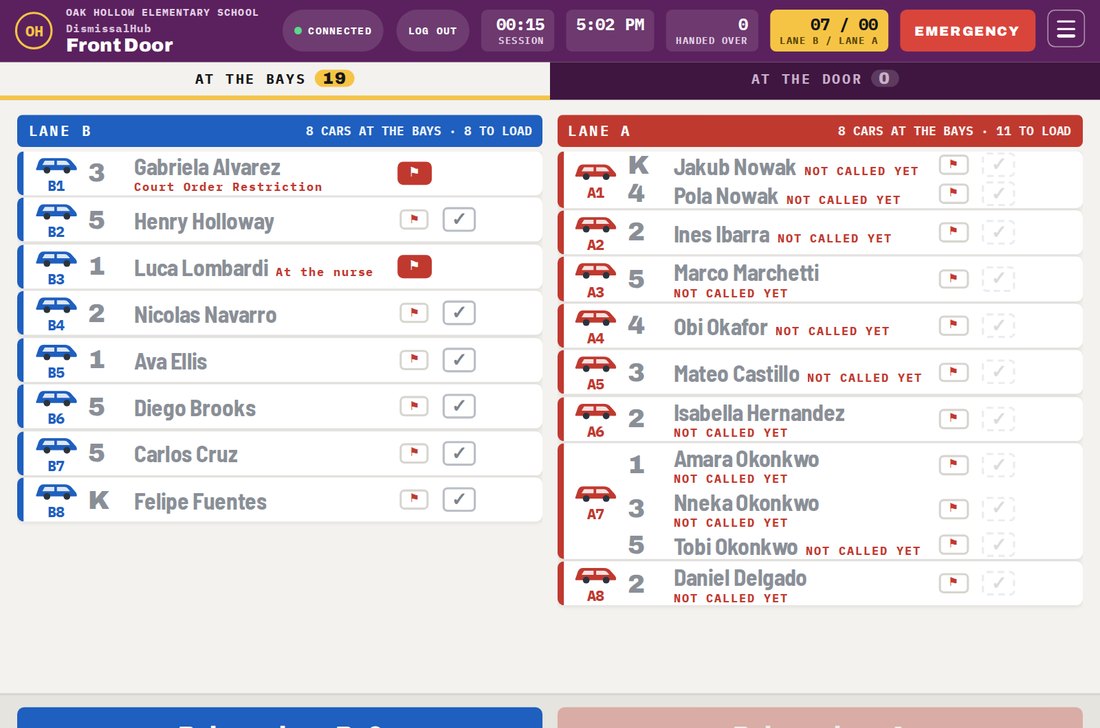
Front door tablet showing the cars at each bay in lanes A and B

Front door

Staff at the curb can see both lanes, where the cars are going, and which students are still inside. When a car is ready to move, they release it and the next car can move forward.

  • Custody and other important alerts appear before release
  • A car without a tag can be entered manually
  • Dismissal can be stopped from any tablet
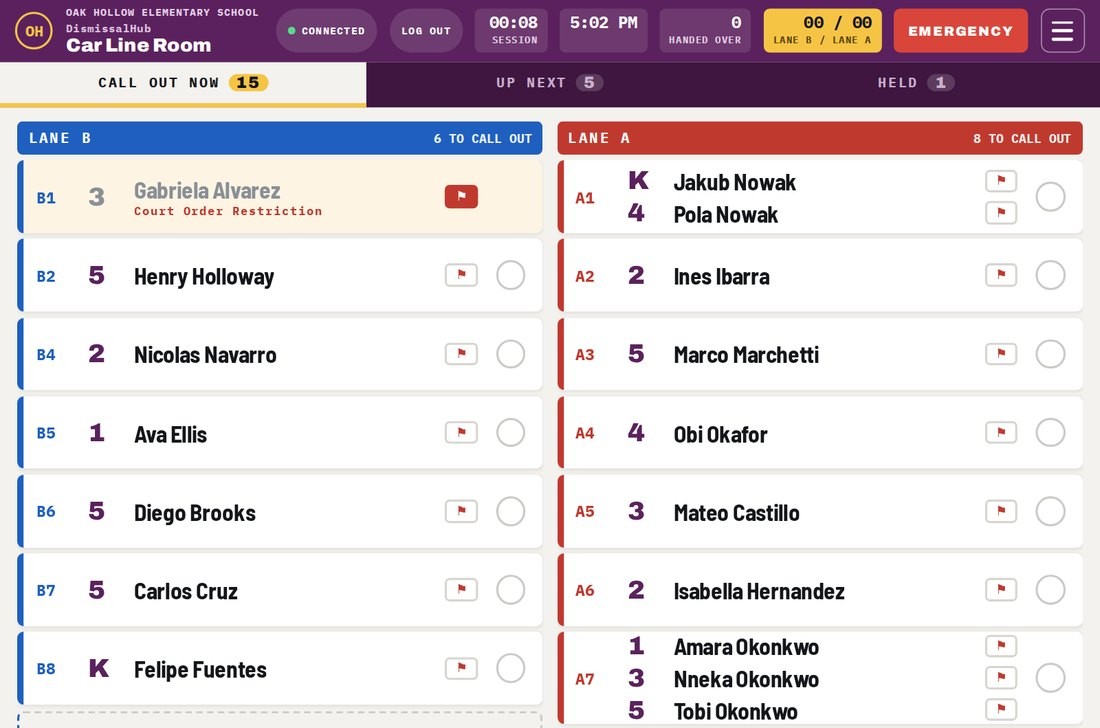
Car line room tablet with the children to call out for each lane

Car line room

This tablet stays where car riders wait, whether that is the gym, cafeteria, or another room. When a car is read, its students appear with their grade, lane, and bay so staff can call them out in the right order.

  • Clear lists for call now, up next, and held
  • Place a hold on any child and record the reason
  • Send quick messages to the other tablets
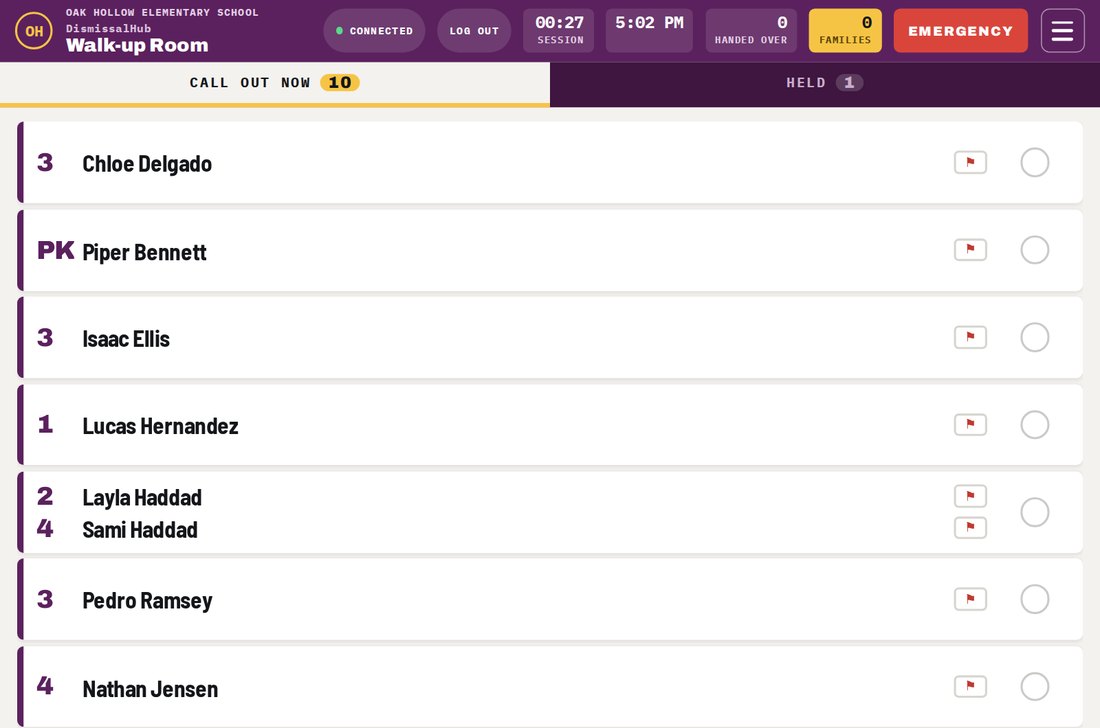
Walk-up room tablet listing the children called to the door

Walk-up room

Parents who walk in use a pickup card. Once it is read, the student's name appears on the tablet so staff can get the child moving toward the door while the parent makes their way over.

  • Clear lists for call now and held
  • Place a hold on any child and record the reason
  • Send quick messages to the other tablets
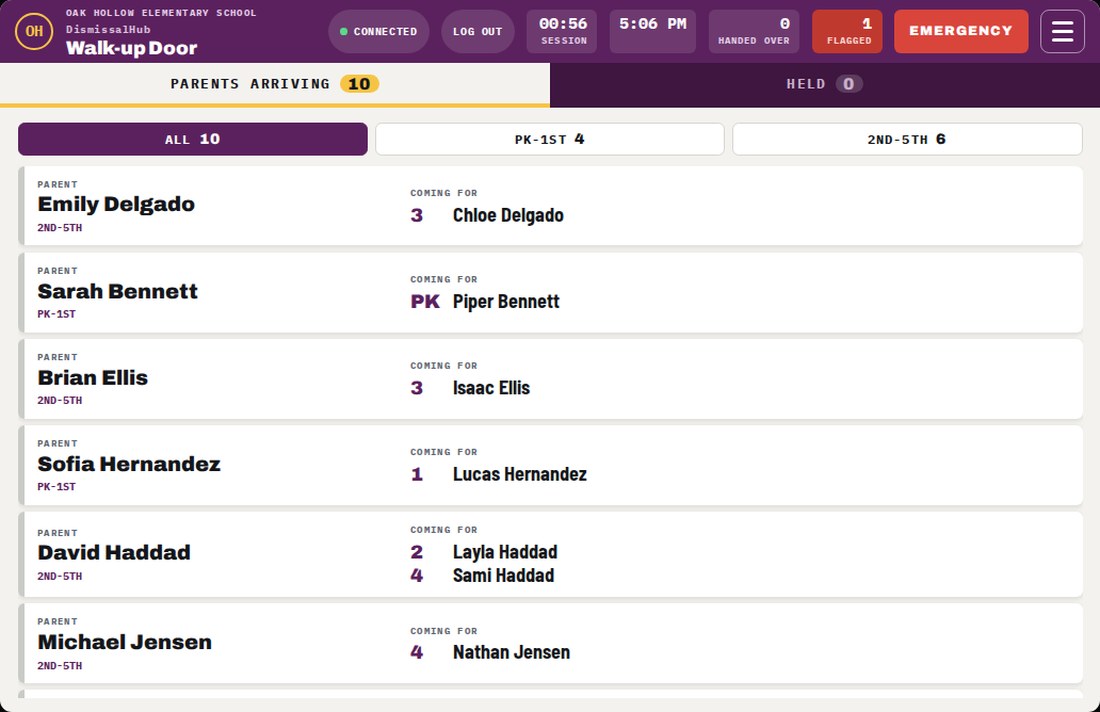
Walk-up door tablet listing the parents arriving and the children they are picking up, with a filter for each parent line

Walk-up door

The staff member at the door sees which children are on their way and which parent is waiting for them, then confirms each handoff. If the school runs more than one parent line, the tablet can show all of them or one line at a time.

  • Lines by grade, set by the school
  • Manual pickup when a parent has no card, with an ID check
  • Handoffs saved with the time and the staff member
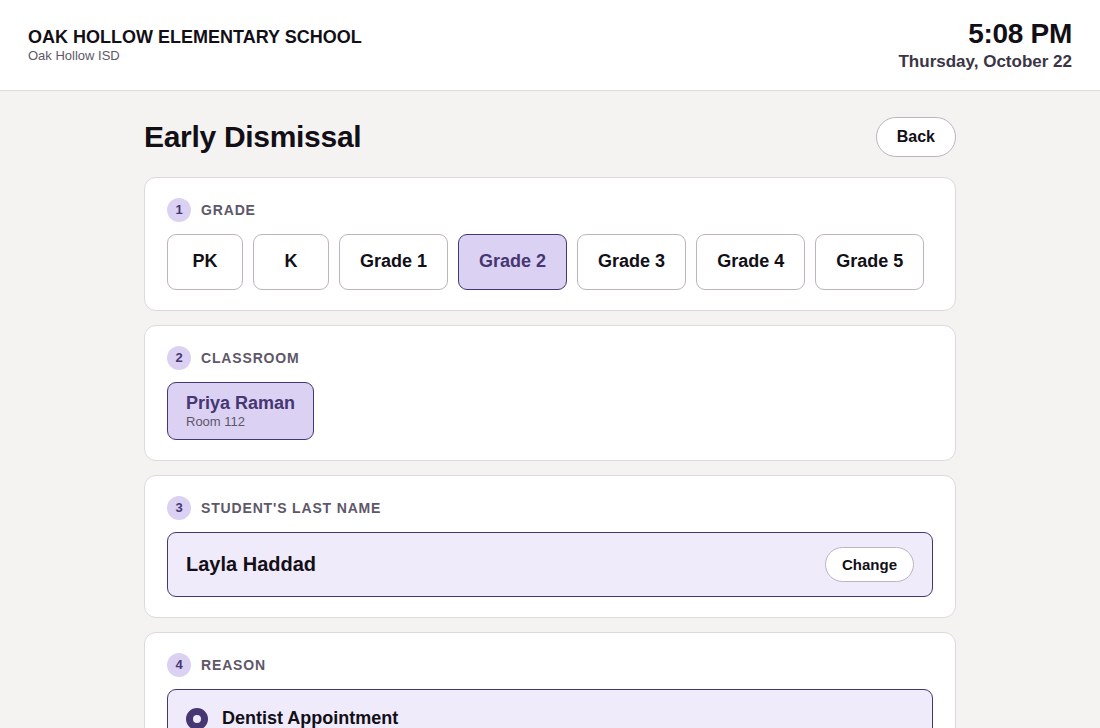
Front office tablet with the early dismissal form filled in for a student

Front office

Late arrivals and early pickups happen at the front office, where the parent signs the child in or out on this tablet. A child who leaves early and is not coming back comes off that afternoon's dismissal lists. A child signed in late is added back.

  • Early pickups, with confirmation of whether the child will return to school.
  • Late arrivals, even on a day an absence was reported
  • Each sign-in and sign-out saved with the time
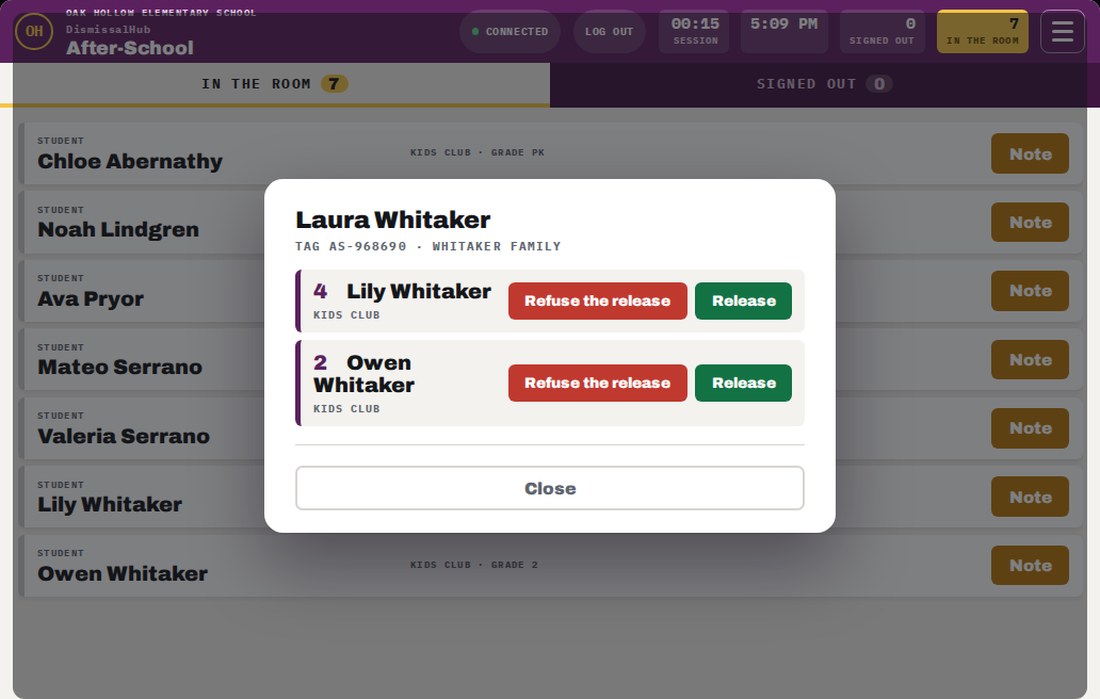
After-school tablet showing the children in the room and an adult's card read, with a Release button for each child

After-school

After-school programs get their own tablet. Children on the program's plan show as in the room, and at pickup the adult's after-school card is read and each child is signed out one by one.

  • Parents use a separate card just for after-school pickup
  • Manual pickup with an ID check when the adult has no card
  • Every sign-out saved with the time and who picked up
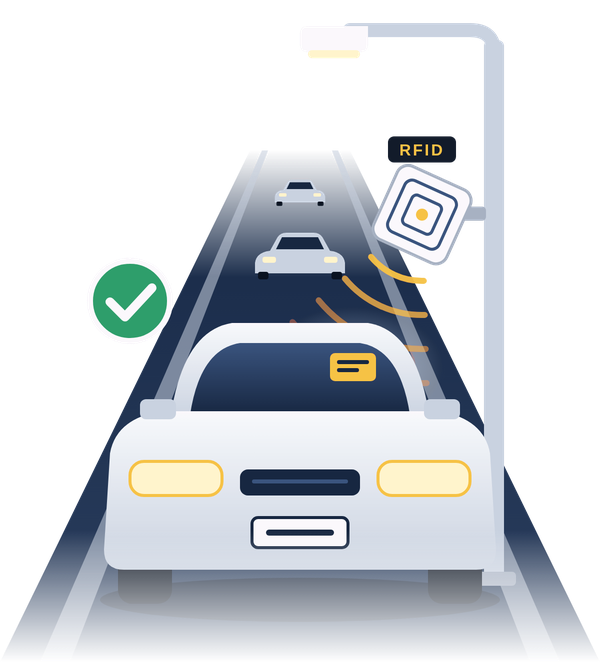
A car in the pickup line passing a tag reader mounted on a light pole
Hardware

Tags that make pickup easier to manage.

Four kinds of tags

  • Car Tag. A windshield sticker that breaks if it is removed from the car.
  • Temporary Placard Tag. Hangs from the mirror, for loaner or temporary vehicles.
  • Walk-Up Contact Card. A card the adult carries, for walk-up parents.
  • After-School Card. A card for picking up from an after-school program. It works only at the after-school tablet.

What's on a tag

The tag contains only a system number. If someone finds one in a parking lot, there is nothing on it that identifies the family, student, or school.

Lost tags

A parent can disable a lost tag right away from the parent portal, and so can the office. Once a tag is taken out of service, its number is not issued again.

The log

Every tag read, hold, and handoff is saved with the time and the name of the staff member. The office can search these records or export them at any time.

Changes during the day

When a parent changes today's plan

The parent picks a different way home for today in the portal. The teacher's daily sheet and the tablets show the new plan without anyone carrying a note.

Nina Marlowe
Today · Thursday
Car line
After-school
Walk-up
✓ Saved for today
Teacher's daily sheet · 2nd grade
Ines IbarraCar line
Nicolas NavarroWalk-up
Nina MarloweCar lineAfter-school
Updated from the parent portal✓ 11:20 AM
One afternoon

A school day with DismissalHub

See how a change from a parent, a front-office pickup, the car line, and after-school sign-out fit into the same day.

Morning

A parent changes today's plan

Grandma is picking up today. The parent opens the portal, changes the plan for this afternoon, and adds her as an authorized adult if she is not on the list yet. The school decides how late in the day changes are accepted.

Parent portal
1:30 PM

An early pickup at the front office

A child has a dentist appointment. The parent signs the student out on the front office tablet. Unless the parent says the child is coming back, the student comes off that afternoon's dismissal lists, so nobody waits for a child who already left.

Front office tablet
2:15 PM

Teachers check how each student goes home

Each teacher has a daily sheet with every student's plan for today: car line, walk-up, bus, or an after-school program. Changes made by parents earlier in the day are already on it.

Staff portal
3:00 PM

The first car pulls in

The reader picks up the windshield tag as the car enters. The system gives the car a lane and a numbered bay, and the students appear on the car line room tablet so staff can start calling them out.

Reader and car line room
3:04 PM

Handover at the bay

Staff at the curb confirm the handoff at the bay. The release is saved with the time and the staff member, and the next car moves up. If the student has a custody restriction, the alert appears before release.

Front door tablet
3:10 PM

A parent walks up

A parent on foot carries a pickup card. The reader at the walkway picks it up, and the student's name appears on the walk-up room tablet while the parent heads to the door. Schools with more than one walk-up line can set which grades use each line.

Walk-up room and door
3:15 PM

Somebody forgot the tag

Staff check the adult's ID before releasing the child. The tablet saves a photo of the ID, the last four characters of the ID number, and the time in that day's log.

Any door tablet
3:30 PM

After-school programs

Students in an after-school program go straight to the program room. Later, the adult's after-school card is read at the program's tablet and each child is signed out one by one.

After-school tablet
4:30 PM

Closing the day

When the session closes, each tablet shows a summary. The office can search every tag read, hold, and handoff from the afternoon, or export them.

Admin panel
Beyond pickup

A unified interface

Beyond pickup coordination, staff and families utilize the same secure platform to access classroom announcements, review the official school calendar, and instantly book parent-teacher conferences.

Let’s talk about dismissal at your school.

We’ll learn how your campus handles dismissal today, walk through your needs, and show you how DismissalHub could fit your process. Start with a conversation and a demo, then get a quote tailored to your school.

VD Solutions LLC
Austin, Texas
Request a Demo & Quote